Free online file optimizer by File Optimized
Compress, Convert, & Optimize
Images, Videos, Audio & 3D Files
Fast, secure, and powerful media compression.
Reduce file size significantly while maintaining quality.
Secured. All processing happens in your browser.
820.8 MB
Drop files here or click to browse
Guest Mode: • Max 2 files per batch (10 per session) • 10MB per file • Slowest processing speed • No Watermark • Displays Ads
Free Plan: • Max 3 files per batch (25 per session) • 25MB per file • Slower processing speed • No Watermark • Displays Ads
Pro Lite Plan: • Max 10 files per batch (50 per session) • 100MB per file • Priority processing speed (faster) • No Ads • Supports future TLIU Studios projects
Pro Deluxe Plan: • Everything in Pro Lite • Max 30 files per batch (100 per session) • 250MB per file • Priority+ processing speed (even faster)
Session: 10 files remaining
🔒 Secure: Only approved file types accepted.

Lightning Fast
Client-side processing means instant results with little to no upload wait times.
100% Private
Your files never leave your device. Everything happens locally.
Multiple Formats
Images: JPEG, PNG, WEBP, AVIF, JXL, HEIC, GIF
Video: MP4
Audio: MP3, WAV
3D Models: GLB
Documents: PDF
Convert between any format instantly.
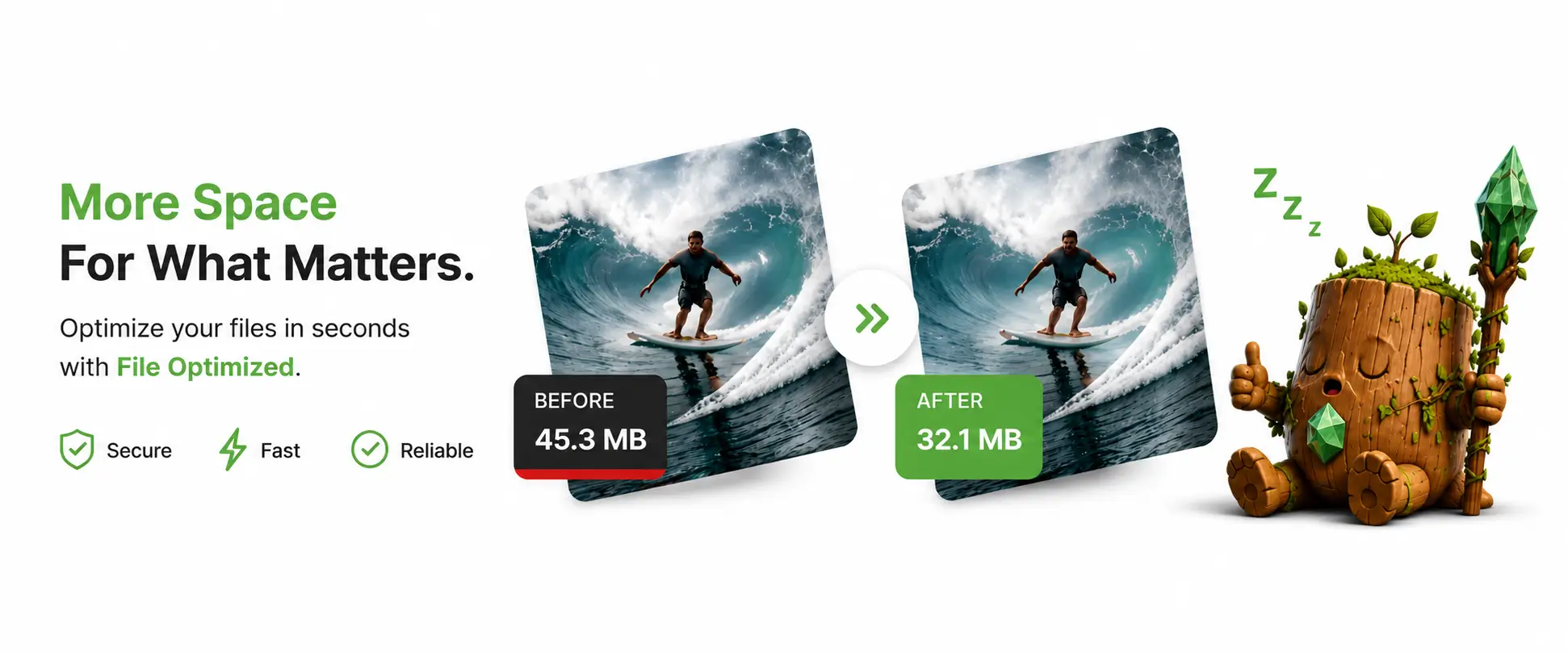
Compare Plans
Start free. Upgrade for the full experience.
No credit card required
25 MB
File size
3 files
Per batch
25 files
Per session
7 image types
Formats
- JPEG, PNG, WEBP, AVIF, JXL, HEIC, GIF
- Before/after comparison slider
- Format conversion
- No watermarks
- Video compression (MP4)
- Audio compression (MP3, WAV)
- 3D model (GLB) compression
- PDF compression
- AI upscaling
- Ad-free experience
100 MB
File size
10 files
Per batch
50 files
Per session
All types
Formats
- All image formats (JPEG, PNG, WEBP, AVIF, JXL, HEIC, GIF)
- Before/after comparison slider
- Format conversion
- No watermarks
- Video compression (MP4)
- Audio compression (MP3, WAV)
- 3D model (GLB) compression
- PDF compression
- AI upscaling (up to 4×)
- Ad-free experience
250 MB
File size
30 files
Per batch
100 files
Per session
All types
Formats
- All image formats (JPEG, PNG, WEBP, AVIF, JXL, HEIC, GIF)
- Before/after comparison slider
- Format conversion
- No watermarks
- Video compression (MP4)
- Audio compression (MP3, WAV)
- 3D model (GLB) compression
- PDF compression
- AI upscaling (up to 4×)
- Ad-free experience
No contracts · Cancel anytime · Instant access after upgrade
How It Works
Optimize your files in three simple steps - no account required.
Upload Your Files
Drag & drop or click to select images, videos, or audio files.
Choose Format & Quality
Pick your file output format and adjust quality settings to balance size vs. quality.
Download Optimized Files
Download your compressed files individually or as a ZIP.
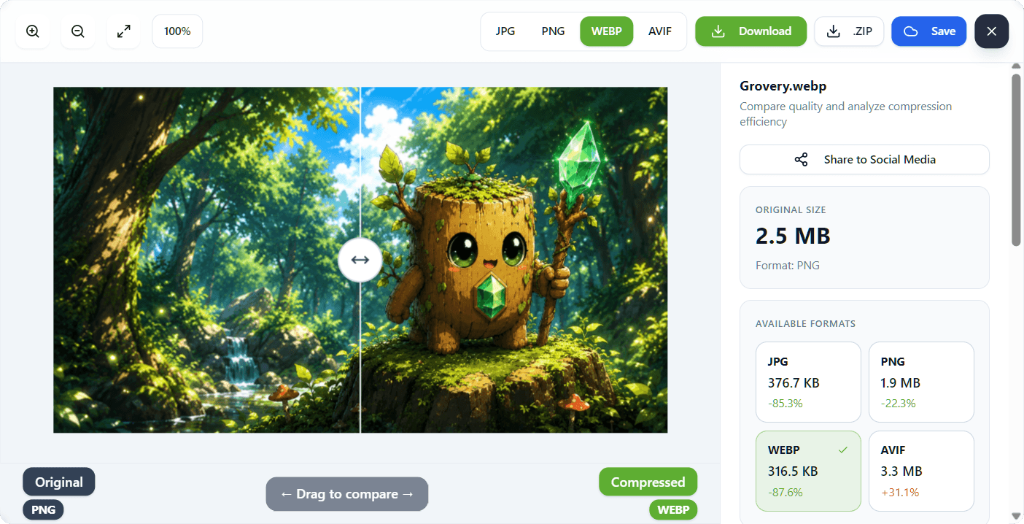
See It In Action
Compare original vs. compressed side-by-side with our interactive slider.
You can see size breakdowns for every format available before you download.
Supported Formats
Compress and convert across all major image, video, and audio formats.
JPEG
Best for photos
PNG
Lossless quality
WEBP
Modern web format
AVIF
Next-gen compression
JXL
JPEG XL format
GIF
Animated images
MP4
Universal video
MP3
Compressed audio
WAV
Lossless audio
GLB
Interactive 3D files
Document compression
Convert between any supported format - e.g. JPEG → WEBP, MP3 → WAV, and more.
Why File Optimized?
We built the tool we always wanted - fast, private, and powerful.
Zero Data Collection
Files never leave your browser. No uploads, no servers, no tracking of your content.
Instant Processing
Client-side compression means results in seconds, not minutes. No upload wait time.
No Watermarks
Both Free and Pro plans produce clean output with zero watermarks on your files.
No Software Install
Works entirely in your browser. No downloads, no plugins, no app installations needed.
Side-by-Side Comparison
Use our interactive comparison slider to see original vs. compressed quality before downloading.
Multi-Format Support
Images, videos, audio, PDFs, and 3D models - all in one tool. Convert and compress any format with ease.
How We Stack Up
See exactly how File Optimized compares to popular alternatives.
| Feature | ⭐ BESTFile Optimized | TinyPNG | Squoosh | Compress |
|---|---|---|---|---|
| Files Stay on Device | Always, 100% local | No, uploads to server | Yes | No, uploads to server |
| Free File Size Limit | 25 MB/file | 5 MB/file | No hard limit | 9 MB/file |
| Free Batch Size | 3 files at once | 20 images/session | 1 file at a time | Up to 10 files |
| Supported Image Formats | JPEG, PNG, WebP, AVIF, JXL, HEIC, GIF | JPEG, PNG, WebP, AVIF, JXL, APNG | JPEG, PNG, WebP, AVIF, JXL, OxiPNG | JPEG, PNG, GIF only |
| Quality Control | Full 1-100 slider | Auto only | Full control | % level only |
| Before/After Comparison | Interactive slider | No | Yes | No |
| Video Compression | MP4 (Pro) | No | No | No |
| Audio Compression | MP3, WAV (Pro) | No | No | No |
| 3D Model Compression | GLB (Pro) | No | No | No |
| PDF Compression | Yes (Pro) | No | No | No |
| No Watermarks | Never | Never | Never | Never |
Feature comparisons based on publicly available information. Specifications may change, so always verify with the provider's current documentation.
Videos
Check out our latest videos and tutorials.
File Optimized - Check Me Out
Promotion
File Optimized - Christmas Wishlist
Promotion
File Optimized - VIPs Only
Promotion
Frequently Asked Questions
Everything you need to know about File Optimized.
Still have questions? Email us: Office@TLIU.co